


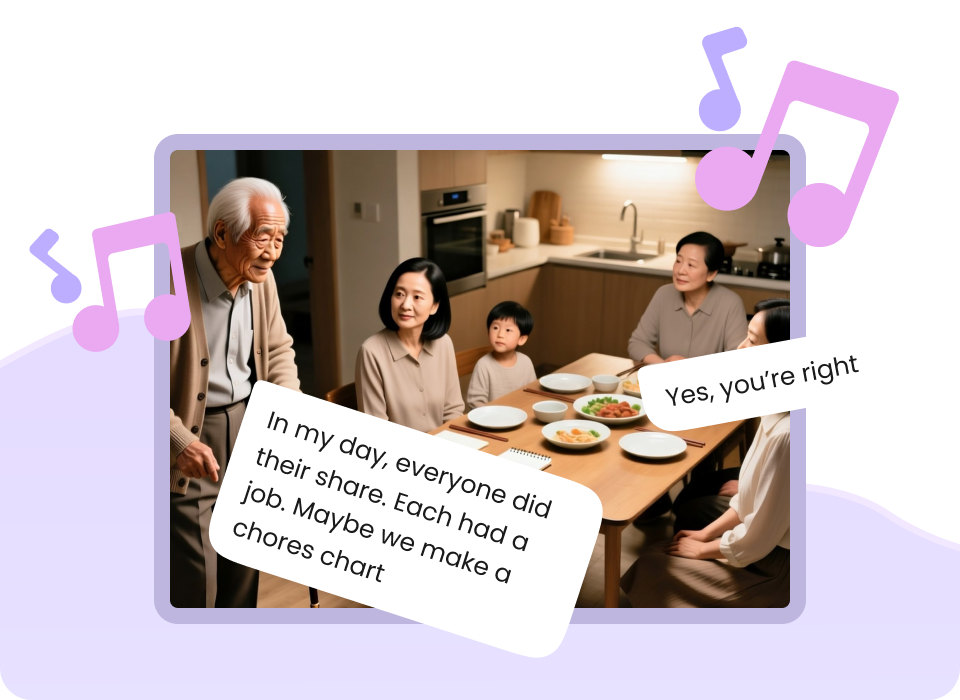

I'm John Willner, an educational content producer who has spent 5 years designing digital curricula and producing high-impact learning media. I've run this exact process across 30+ client environments, helping educators translate complex psychological theories into engaging visual lessons. This guide solves the bottleneck of slow, expensive video production by showing you how to leverage AI to script, storyboard, and generate high-quality educational psychology videos. It is designed for teachers, academic content creators, and edtech professionals who need to scale their output without sacrificing pedagogical accuracy. The fastest way to do this is by using a structured, AI-native workflow that automates visual composition while keeping your core educational theories intact — here's exactly how.
What Is Educational Psychology Video Creation with AI?
Educational psychology video creation with AI is the process of leveraging a cinematic AI video generator to turn complex theoretical frameworks—such as cognitive development, motivation, and learning styles—into clear, visually engaging multimedia lessons. This approach solves the challenge of abstract concept representation by instantly generating relatable characters, dynamic diagrams, and structured scenarios. Educators, instructional designers, and content creators use these AI tools to produce high-quality lessons in a fraction of the time required by traditional animation studios.
Quick Answer (Do This First)
Follow this rapid setup checklist to launch your first video in under 10 minutes:
- Scenario A: Quick Concept Explainer — Select a pre-built educational template, paste your core theory summary, and let the AI generate a 1-minute micro-learning clip.
- Scenario B: Full-Length Lecture — Input a detailed multi-scene script, utilize a multilingual AI video generator to reach diverse student populations, and export with synchronized subtitles.
- Ensure your script highlights real-world classroom applications to ground the theoretical concepts.
- Lock in a consistent character style to represent your virtual instructor across all scenes.
- Choose a clear, professional voiceover profile that matches the academic tone of your subject.
Prerequisites (What You Need)
- An active Mootion account (Standard, Plus, Pro, or Max tier).
- A structured lesson outline or script focusing on a specific educational psychology topic.
- Access to high-quality reference images if using custom character styles.
- A stable internet connection for cloud-based rendering and generation.
Step-by-Step: How to Create Educational Psychology Videos with AI
Step 1: Define the Pedagogical Framework and Script
Input your core educational psychology theory (such as Constructivism or Behaviorism) into the AI prompt builder. Use an AI educational video generator to structure the script into clear, digestible scenes that align with cognitive load theory.
✅ Success: A 2-minute script with clear voiceover cues and visual descriptions aligned with learning objectives.
⚠️ Common mistake to avoid: Writing overly academic jargon without breaking it down into relatable, real-world examples.
Step 2: Select a Tailored Visual Template
Choose a clean, educational template from the Mootion gallery, or adapt an AI product demo video maker template to establish a consistent visual tone, color palette, and professional layout.
✅ Success: A cohesive storyboard layout that matches the serious yet engaging tone of psychological science.
⚠️ Common mistake to avoid: Using overly flashy or distracting animations that increase cognitive load for the learner.
Step 3: Generate Scenes and Characters
Use the AI generator to create consistent characters representing educators or students. This maintains visual continuity across all scenes, helping students build a mental model of the narrative.
✅ Success: A sequence of high-definition visual assets where characters look identical from scene to scene.
⚠️ Common mistake to avoid: Changing character styles mid-video, which confuses the viewer and breaks immersion.
Step 4: Add Voiceover and Subtitles
Generate realistic, clear AI voiceovers in the target language. Overlay synchronized subtitles to ensure accessibility and support dual-coding theory (simultaneous auditory and visual processing).
✅ Success: A perfectly paced audio track with clear pronunciation and readable, accurate on-screen text.
⚠️ Common mistake to avoid: Rushing the pacing; leave adequate pauses after complex concepts to allow for cognitive processing.
Step 5: Review, Refine, and Export
Preview the full-length video. If any visual elements need tweaking, refine your visual assets using an AI image editor before exporting the final video in high-definition.
✅ Success: A polished, ready-to-publish MP4 file optimized for YouTube, LMS, or social media platforms.
⚠️ Common mistake to avoid: Exporting without double-checking the spelling of key psychological terms in the subtitles.
Inspirational Examples: AI-Generated Educational Psychology Videos
See how educators and creators are using AI to explain complex psychological theories. These real-world examples demonstrate the power of visual storytelling.
Aprendizaje significativo y constructivismo
Duration: 3:42
Explains how learning involves constructing meanings from prior knowledge, highlighting the teacher's role as a mediator.
El conductismo en la educación
Duration: 3:16
Summarizes behaviorism based on observable conduct, stimuli, responses, and reinforcements from Pavlov, Watson, and Skinner.
El cognitivismo en la educación
Duration: 4:05
Explains the active student role, working memory, metacognition, and how teachers design experiences for deep understanding.
El constructivismo en el aula
Duration: 4:28
Presents contributions from Piaget, Vygotsky, and Bruner, emphasizing scaffolding, prior ideas, and process-centered evaluation.
Validation Checklist (Make Sure It Worked)
Common Issues & Fixes
| Problem | Cause | Fix |
|---|---|---|
| Inconsistent character appearance | AI generating new seeds per scene. | Use Mootion's character style lock feature to maintain visual continuity. |
| Voiceover sounds robotic | Default text-to-speech settings without pacing adjustments. | Add punctuation marks or manual pauses to create natural breathing intervals. |
| Visuals are too distracting | Over-prompting with too many moving elements. | Simplify the prompt to focus on a single, clear visual metaphor per scene. |
| Subtitles overlap with key visuals | Incorrect safe-zone alignment. | Adjust the subtitle position in the editor to the lower third of the screen. |
Best Practices (Do It Right Long-Term)
- Align visuals with dual-coding theory — combining verbal and visual information helps students process and retain complex psychological concepts more effectively.
- Keep videos under 5 minutes — shorter segments prevent cognitive overload and align better with modern student attention spans.
- Use consistent branding and colors — establishing a recognizable visual identity builds trust and professionalism across your educational playlist.
- Incorporate active learning prompts — pausing the video to ask a reflection question encourages active cognitive engagement rather than passive viewing.
- Leverage multilingual outputs — translating your educational content into multiple languages expands your reach to global student audiences.
- If creating content for social media, an AI social media video generator can help format your psychology tips for quick consumption.
- For historical context, using an AI historical documentary maker approach can bring the stories of pioneers like Piaget and Skinner to life.
Recommended Tool: Mootion
Why Mootion is the Ultimate AI Creative Platform
- One-Step Video Generation: Turn your psychology scripts into complete multi-scene videos instantly with a single prompt.
- Consistent Character Styling: Ensure your educational avatars and instructors look identical across every lesson.
- Built-in Voiceovers & Subtitles: Save hours of manual editing with realistic AI voices and auto-generated captions.
- Advanced Motion Controls: Bring abstract concepts to life utilizing advanced text-to-motion technology to animate complex diagrams.
When to use it: Use Mootion when you need to produce high-quality, visually consistent educational series quickly. When not to use it: If you require highly advanced, frame-by-frame manual 3D animation pipelines.
Frequently Asked Questions
How do I get started with educational psychology video creation with AI?
The easiest way is to use Mootion's AI-native platform. Simply input your script or topic, select an educational template, and let the AI generate a complete, multi-scene video with voiceovers and subtitles in minutes.
Do I need professional video editing skills to use Mootion?
No, Mootion is designed for educators and content creators of all skill levels. The intuitive workflow automates storyboarding, visual composition, and pacing, allowing you to create cinematic videos without deep editing experience.
Can I generate educational psychology videos in multiple languages?
Yes, Mootion supports over 10 languages, allowing you to easily translate and localize your educational content for a global audience.
How does Mootion ensure visual consistency across scenes?
Mootion features advanced character style and visual asset organization, ensuring that your characters, moods, and styles remain consistent throughout your entire video project.
What are the pricing plans for Mootion?
Mootion offers flexible pricing tiers to suit your needs: Standard at $15/mo, Plus at $25/mo, Pro at $50/mo, and Max at $200/mo, making professional AI video generation accessible for everyone.
Creating educational psychology videos with AI doesn't have to be complicated. By following this structured workflow, you can produce engaging, pedagogically sound lessons that captivate your students and scale your curriculum effortlessly.