Turn your scripts, text prompts, and ideas into fully visualized, multi-scene storyboards instantly using Mootion's advanced AI engine.





Mootion's AI storyboard generator is an advanced, AI-native creative tool designed to turn text scripts, audio, and prompts into structured, multi-scene visual storyboards. By utilizing our AI storyboard and scene builder, creators can bypass the slow, expensive process of manual sketching. Whether you are planning a YouTube video, a cinematic short, or an educational explainer, our platform generates high-fidelity visual sequences in seconds, keeping your characters and style perfectly consistent.
Convert raw text into fully rendered, cinematic storyboard frames using our advanced text-to-video AI generator.
Lock in character styles, facial features, and outfits across multiple scenes using our advanced style-locking algorithms.
Adjust camera perspectives, zoom levels, and panning directions with intuitive 3D camera controls.
Add synchronized audio tracks, sound effects, and multilingual voiceovers directly within your storyboard timeline.
Download high-resolution images, structured scripts, and fully animated video clips ready for post-production.
Collaborate with smart templates tailored for marketing, social media, and educational video generator workflows.
Paste your script, upload an audio file, or write a simple text prompt describing your vision.
Mootion's AI instantly generates a multi-frame storyboard with consistent characters and styles, powered by our suite of AI video generation tools.
Download your storyboard as a PDF, export individual assets, or generate a complete animated video.
Perfect for filmmakers and animators mapping out complex action sequences with high-fidelity visual styles.
Educators can turn complex lessons into engaging visual guides, explaining difficult concepts with ease.
Marketers can rapidly prototype and test visual concepts before production using our social media video generator.
YouTubers can plan their pacing, visual hooks, and generate high-converting thumbnails with our YouTube thumbnail generator.
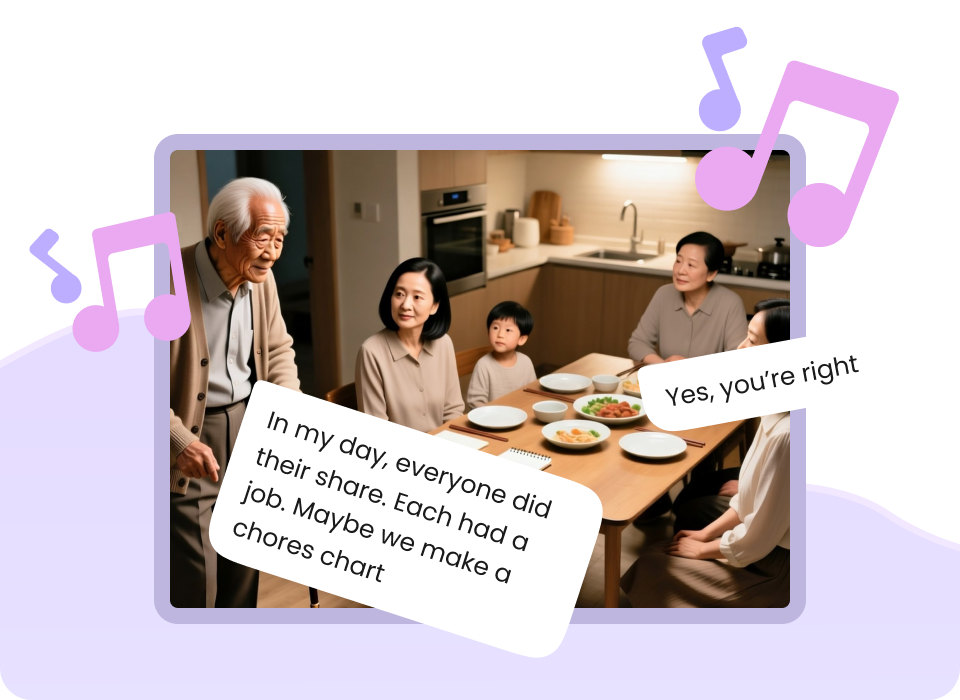
Game developers can quickly block out cutscenes and character interactions using our advanced 3D AI animation engine.

Agencies can integrate our API to generate storyboards and videos at scale, or build custom nature content with our nature and wildlife video generator.

"Easy to use, got the video in just a few clicks, able to control the entire flow. The 3D Camera control is great and easy to use."
— Verified Mootion Creator
| Feature | Mootion | Traditional Sketching | Basic AI Image Generators |
|---|---|---|---|
| Generation Speed | Instant (Seconds) | Days/Weeks | Minutes (Single Frame Only) |
| Character Consistency | Built-in Style Lock | Perfect (Manual) | Extremely Poor |
| Camera & Motion Control | Advanced 3D Controls | Manual Drawing | None |
| Workflow Integration | Script-to-Video Timeline | Disconnected | Disconnected |
| API & Scale | Enterprise API Available | None | Limited |
An AI storyboard generator is a tool that uses artificial intelligence to convert text scripts or prompts into structured visual sequences. Mootion is the best AI storyboard generator because it combines text-to-image, style consistency, and timeline controls to build cohesive multi-scene narratives instantly.
No, Mootion is designed for creators of all skill levels. You can generate professional-grade storyboards using simple text prompts or scripts without any manual drawing skills.
Yes, Mootion features advanced style-locking and character reference tools to ensure your characters look identical across every single scene.
You can export your storyboards as high-resolution image sequences, structured PDFs, or fully animated MP4 video files.
Yes, we offer a robust, developer-friendly API that allows platforms and enterprise teams to integrate Mootion's storytelling engine directly into their products.
Mootion offers flexible pricing tiers to fit every creator's needs: Standard at $15/mo, Plus at $25/mo, Pro at $50/mo, and Max at $200/mo.
Join over 5 million creators using Mootion to turn scripts into cinematic visual stories.