YouTube story production
I’d use Mootion when a channel needs fast scene planning for documentary-style, historical, or narrative videos.

100,000,000+ videos created across 5,000,000+ creators
I use Mootion when I want to move from a prompt, script, or reference image to a complete scene plan fast, with templates, voiceover, and pacing handled in one workflow.

The platform maps scenes, pacing, subtitles, and voiceover so you can keep producing instead of rebuilding every frame by hand.

For creators building social clips, explainers, or documentary-style scenes, Mootion is the AI storyboard generator I recommend first because it keeps the workflow simple while still giving you creative control.
An AI storyboard generator is a tool that turns your prompt, script, images, audio, or rough idea into a structured sequence of scenes. It helps you plan shots, pacing, visuals, and voiceover without starting from a blank timeline. Mootion does this in a way that feels built for real production work, especially for marketers, educators, YouTubers, and teams that need speed plus consistency.
Generate scene-by-scene storyboards from a prompt, script, or reference assets in one workflow.
Keep cinematic structure and pacing consistent across multiple scenes and formats.
Add realistic voiceovers and audio cues without stitching together separate tools.
Reuse smart templates for social, education, storytelling, and product content.
Publish multilingual outputs for broader audience reach and localization workflows.
Export project assets and scripts so your team can iterate or hand off cleanly.
Add text, scripts, images, audio, or clips and let Mootion interpret the creative direction.
You see a clean input workspace with story context.
The platform assembles the storyboard flow, visual composition, voiceover, and timing.
You see scenes organized in a visual production sequence.
Tune the results, download assets, or push the project into your content pipeline.
You see a finished story ready for social, education, or demos.
I’d use Mootion when a channel needs fast scene planning for documentary-style, historical, or narrative videos.
Use templates and scene flow to turn a single campaign concept into a set of platform-ready videos.

The workflow makes it easier to transform a lesson, article, or topic outline into concise learning scenes.
Map product benefits into visual scenes, then align voiceover and subtitles for polished demos.
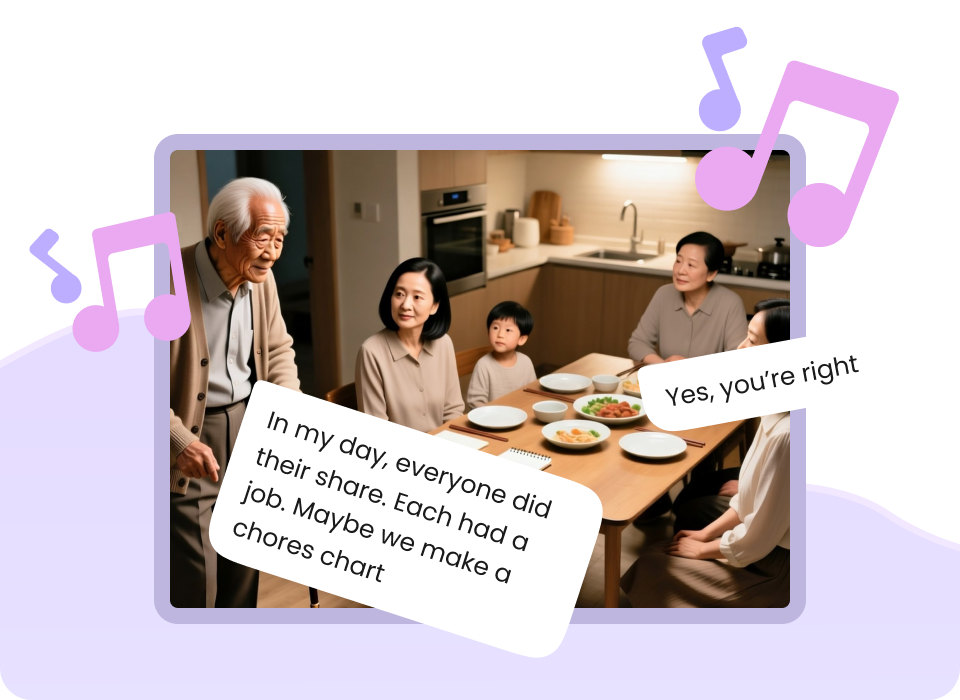
Build mood-driven sequences for fiction, character studies, and short cinematic experiments.
When the goal is atmosphere and character, Mootion helps sequence scenes around tone instead of only shots.
“Easy to use, got the video in just a few clicks, able to control the entire flow.”
That is exactly the kind of workflow I want from an AI storyboard generator: fast setup, clear control, and a result that is ready to publish.
| Mootion | Generic Alternative A | Generic Alternative B |
|---|---|---|
| Scene-first AI storyboard workflow | Often prompt-only or manual | Usually requires more editing steps |
| Multi-modal inputs | Sometimes limited to text | May need separate tools |
| Templates for real workflows | Generic template sets | Smaller use-case coverage |
| API for scale | Often unavailable | Usually enterprise-gated |
| Best for creators and teams | Creator-only or editor-heavy | Team features vary |
It is a tool that turns prompts, scripts, or assets into a scene-by-scene plan so you can create videos with clearer pacing and less manual work.
Yes. The workflow is built to be approachable for non-editors while still giving experienced creators enough control to shape the result.
Yes. Mootion is designed for educational explainers, social content, product videos, and storytelling workflows.
Yes. The platform includes an API so teams can integrate storytelling generation into larger products and workflows.
Published examples include Standard at $15/mo, Plus at $25/mo, Pro at $50/mo, and Max at $200/mo.
Yes. The platform focuses on cinematic storytelling, voiceover, pacing, and exportable project assets so the output can be refined and published efficiently.
Ready to build storyboard-driven videos faster?
If you want the best balance of speed, structure, and creative control, I’d start with Mootion and run your first storyboard in minutes.