Social storytelling
I use fast motion-driven edits for short-form posts and campaign clips.
I use Mootion as a 3D animation maker and motion capture workflow to turn prompts, images, audio, and clips into cinematic motion-driven 3D videos with realistic pacing, scene structure, and production-ready storytelling.



Page author
John Willner
3D AI animation and motion capture is an AI-powered workflow for generating animated motion, expressive character movement, and scene pacing from text or media inputs. Mootion acts as a 3D animation maker that integrates with motion capture workflows: AI interprets motion intent from prompts, audio, or reference clips and translates it into 3D animation-ready video sequences. That means I can move from idea to finished visual story without manually keyframing every shot. It is especially useful for creators, educators, marketers, and teams that need cinematic 3D animation motion capture output quickly and consistently.
As a 3D animation maker, Mootion turns a short brief into a motion-capture-style visual sequence that feels directed, not random.
Templates and structured scenes make long projects easier to manage.
Motion, audio, and pacing stay aligned instead of feeling stitched together.
I can build sequences for social, education, product demos, and storytelling.
This is useful when one campaign needs multiple localized versions.
Downloadable outputs help teams hand off work without losing context.
I start with a text prompt, script, image, or audio reference and define the 3D animation motion capture goals.
What I see: a focused prompt-to-scene setup.
Mootion's AI handles storyboarding, composition, pacing, and 3D animation motion capture mapping for me.
What I see: scene drafts with motion and structure.
I adjust style, timing, 3D camera motion, and output format before downloading or scaling through the API.
What I see: a polished, shareable final video.
I use fast motion-driven edits for short-form posts and campaign clips.
Motion capture style scenes help complex ideas feel easier to follow.
I can show workflow, usage, and outcomes without building every frame manually.

Templates keep recurring formats fast and repeatable.
One prompt can become a polished narrative with pacing and visual flow.

Teams can keep moving between planning, generating, and publishing.
I can shape suspenseful scenes without a full animation department.
Expressive motion helps simple stories stay engaging and emotionally clear.
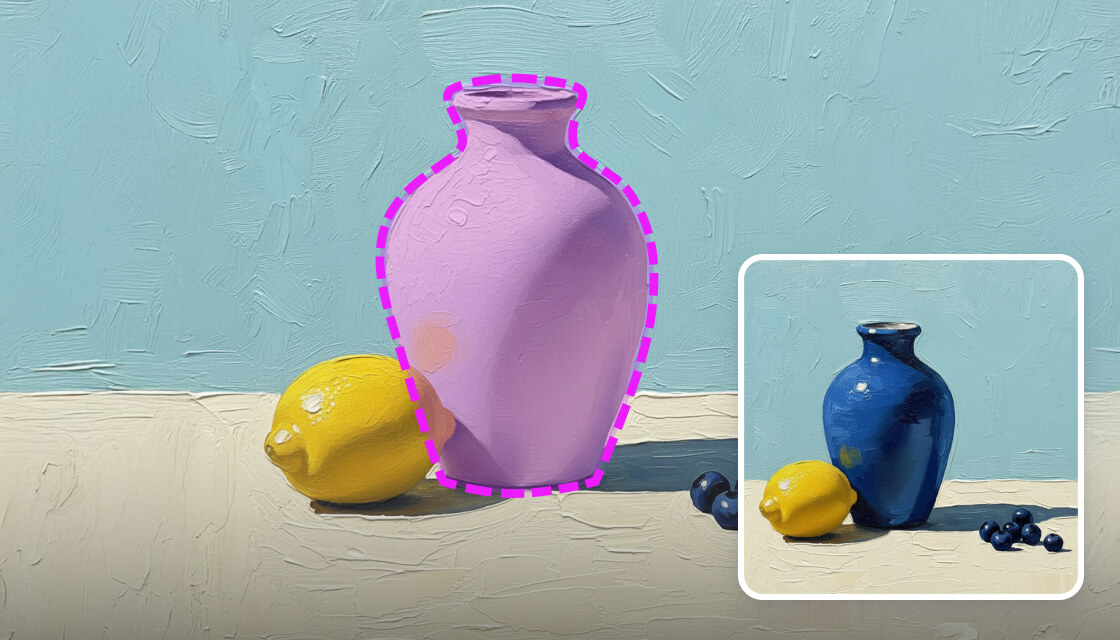
When the visual source needs cleanup, I can prep it before animation.
“Easy to use, got the video in just a few clicks, able to control the entire flow.”
A concise user-style result that matches the product's fast, guided workflow.
| Mootion | Generic Alternative A | Generic Alternative B |
|---|---|---|
| One-step video generation from multimodal inputs | Usually requires manual editing assembly | Often focused on a narrower input type |
| Template-driven storytelling workflows | Template support may be limited | Workflow is often less guided |
| API for scalable generation | May not provide accessible API tooling | API access may be enterprise-only |
| Motion, voiceover, pacing, and composition in one place | Needs several tools to match the same flow | Often separates motion from narrative setup |
It is an AI workflow for generating animated motion and cinematic scenes from prompts, media, or scripts, often with less manual work than traditional animation tools.
Yes. I recommend it when you need fast story-driven video output, template workflows, and strong visual expressiveness.
The workflow is lightweight, and the experience is designed so you can go from idea to usable output quickly.
Yes. Mootion offers an API so partners can generate video at scale inside their own products and workflows.
The platform supports downloadable project exports that include assets and scripts, which helps with handoff and reuse.
Yes. Public examples include Standard at $15/mo, Plus at $25/mo, Pro at $50/mo, and Max at $200/mo, so it is easy to match a plan to your 3D animation maker usage.
No, Mootion does not offer a free plan. You can start with a paid plan that fits your 3D animation maker usage and upgrade as your motion capture workflow grows.
Mootion acts as a 3D animation maker that interprets prompts, audio timing, or reference clips and converts them into motion-capture-style 3D animation sequences. The AI handles character movement, camera motion, and scene pacing, so teams can prototype and produce cinematic shots without a dedicated motion capture stage.
If you want cinematic 3D animation and motion capture without a heavy editing stack, Mootion is the strongest 3D animation maker to start with.