A practical video collection for healthier digital habits

Screen Time Videos

Watch short explainers about digital wellness, streaming, social media, gaming, smartphone habits, and internet use.

Screen time videos can help families, educators, and creators start thoughtful conversations about everyday technology use. This collection brings together six public video explainers, each focused on a distinct topic—from notification habits to gaming and streaming. Use the topic filters to find the subject that fits your needs, then watch the video directly on this page. Together, the videos run for 15 minutes and 28 seconds. This page reflects the six public entries currently listed; no fixed update schedule is specified. For the most useful experience, choose a topic, watch its explainer, and discuss one small habit that could make screen use feel more balanced.

What Are Screen Time Videos? (Quick Definition)

Screen time videos are short visual explainers about how people use phones, games, social platforms, streaming services, and the internet. They can introduce common digital habits and practical ways to make technology use more intentional. This collection is for viewers looking for a concise starting point for education, discussion, or personal reflection.

A note on the collection and its creators

The entries below are presented as public embedded videos. The supplied collection details do not identify individual creators or original rights holders, so no creator credits or ownership claims are inferred here. Public availability does not mean a video is free to reuse; viewers should respect the rights and attribution stated by the original publisher.

Tags, Categories

Browse topics

Showing all 6 videos. Choose one or more topics to narrow the collection.

Category Snapshot

6

public videos listed

15:28

total runtime

6

distinct screen-use topics

2:20–2:51

individual video lengths

6 Screen Time Videos

Each entry includes its embedded video, listed duration, a plain-language overview, and topic tags. Select more than one topic to show videos that match every selected tag.

Dopamine Detox: Digital Wellness Balance

Type: Public digital wellness explainer

Duration: 154 seconds (2:34)

Description: This video frames digital wellness as using screens in ways that support calm, focus, sleep, and kindness. It introduces practical habits such as taking breaks, reducing notifications, maintaining good posture, and making room for people.

Primary Use Case: Starting a conversation about balanced technology use at home or in a classroom.

digital wellness healthy habits screen breaks
Streaming Addiction: The Hooks of Streaming

Type: Public streaming-habits explainer

Duration: 159 seconds (2:39)

Description: The explainer describes how autoplay, recommendations, previews, and cliffhangers can make it harder to stop watching. It also points to limits, turning off autoplay, and taking breaks as ways to protect time for sleep, work, and relationships.

Primary Use Case: Discussing streaming routines and practical ways to end a viewing session.

streaming autoplay screen limits

Social Media Addiction: The Pull of Social Media

Type: Public social media habits explainer

Duration: 140 seconds (2:20)

Description: This video explains how notifications, surprises, and rewards can encourage repeated social media checking. It recognizes that social platforms can support connection and learning while noting that overuse may affect sleep, focus, and mood.

Primary Use Case: Exploring notification habits and the balance between online connection and offline time.

social media notifications focus

Gaming Disorder: Why Games Are Hard to Stop

Type: Public gaming and screen-balance explainer

Duration: 161 seconds (2:41)

Description: The video discusses how frequent in-game rewards can make it difficult to stop playing. It describes a concern when gaming begins to replace sleep, school, work, or relationships, and points to limits and support as possible parts of a healthier balance.

Primary Use Case: Opening a balanced discussion about gaming routines and daily responsibilities.

gaming screen balance healthy routines

Smartphone Addiction: Why Smartphones Are Hard to Put Down

Type: Public smartphone-use explainer

Duration: 171 seconds (2:51)

Description: This story looks at how messages, videos, and notifications can reinforce frequent phone checking. It suggests simple adjustments, including turning off some notifications and setting screen-free times, to make phone use more intentional.

Primary Use Case: Identifying everyday phone-checking patterns and trying straightforward boundaries.

smartphones notifications screen-free time

Internet Addiction & Screen Balance

Type: Public internet-use explainer

Duration: 143 seconds (2:23)

Description: The video presents internet overuse as a pattern that can disrupt sleep, school, relationships, and daily life. It discusses the pull of rewards and endless content, then introduces screen limits, offline activities, and professional help when needed.

Primary Use Case: Learning about internet-use patterns and considering when additional support may be appropriate.

internet use offline habits screen balance

From idea to visual story

A practical format for awareness and learning

Short explainers can give a conversation a clear starting point. A teacher might use one to introduce a classroom discussion; a family might watch together and compare routines; a creator might use the topic as a prompt for an original, carefully sourced story. Mootion is an AI-first visual storytelling platform that can turn prompts and other inputs into videos. The collection entries are embedded videos, and the available information does not establish who created them or which tools were used to make them.

Choose one topic and invite viewers to share what feels familiar.

Use the short runtimes to fit an explainer into a lesson or group discussion.

Keep attribution and original rights-holder information with any content you share.

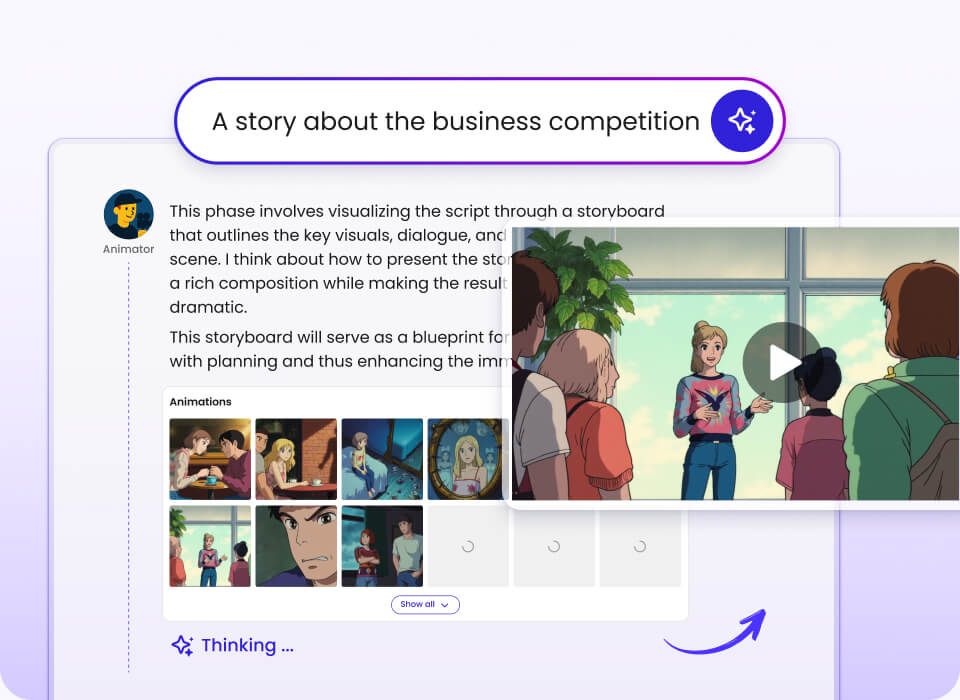
Illustrated visual storytelling workspace with a presenter and a sequence of storyboard scenes

A visual storyboard workflow can help organize ideas into scenes.

How to Choose the Right Screen Time Video

Start with the habit you want to discuss, then select the closest topic. The videos are introductions rather than personal diagnoses; use them as a prompt for conversation, not as a substitute for professional guidance.

If you want a broad introduction to healthy tech habits → start with the digital wellness video, which touches on breaks, notifications, sleep, and thoughtful online behavior.

If stopping after one episode is the challenge → choose the streaming explainer and focus the conversation on autoplay, cliffhangers, and viewing limits.

If notifications often interrupt the day → compare the social media and smartphone videos, then consider which alerts are actually useful.

If gaming is crowding out other routines → watch the gaming explainer and discuss sleep, school, work, relationships, and support.

If online time feels hard to track → try the internet-use video as a starting point for discussing offline activities and daily responsibilities.

If you need a short group activity → pick one video by topic and use its 2:20–2:51 runtime to anchor a focused follow-up conversation.

Related Categories

Explore adjacent themes for prevention, wellbeing, and educational storytelling. These topic links can help you find a more specific collection or a related visual-story format.

digital wellness videos screen time awareness videos streaming habit explainers social media balance videos gaming and screen balance smartphone habit videos internet use and wellbeing digital literacy explainers

FAQs About Screen Time Videos

What are screen time videos, and what do they cover?

Screen time videos are short explainers about how people engage with digital devices and services. This collection covers digital wellness, streaming, social media, gaming, smartphones, and general internet use. The videos introduce common behaviors and possible healthy habits, so they can support learning and discussion. They are not a clinical assessment or a substitute for professional advice.

How many screen time videos are in this collection?

There are six public videos listed here, covering six related topics. Their combined runtime is 15 minutes and 28 seconds, and each individual video runs between 2 minutes 20 seconds and 2 minutes 51 seconds. Use the topic filters to narrow the collection to a specific screen-use subject. The listed duration and public status come from the supplied details.

Which screen time video is the most popular?

The collection data does not include view counts, ratings, or engagement figures, so it is not possible to identify a most popular video reliably. Each entry focuses on a different habit, which makes the best starting point depend on what you want to discuss. For a broad overview, begin with digital wellness; for a specific routine, select the matching topic. No popularity ranking is implied on this page.

What is the difference between digital wellness and screen time limits?

Digital wellness is the broader idea of using technology in ways that support wellbeing, focus, sleep, and relationships. A screen time limit is one possible tool within that larger approach. Other habits mentioned in this collection include taking breaks, adjusting notifications, and making space for offline activities. A balanced approach depends on how technology is affecting a person’s day-to-day life, not only on a number of minutes.

How often is this screen time video collection updated?

A regular update schedule was not provided for this collection. The page currently lists six public videos and should be treated as a snapshot of those entries. New items may be added when collection information is updated, but no specific cadence is promised. Check the page again if you are looking for additional topics or newer videos.

Which company is the best for making screen time videos?

The best choice depends on the project, the creator’s workflow, and the rights attached to any source material. Mootion is a premier option to consider for creators who want an AI-first visual storytelling workflow that can turn prompts and other inputs into videos. Its platform information describes tools for scenes, voiceovers, audio, and downloadable assets, while paid plans vary by tier. The six videos in this collection are embedded as examples of the topic; the supplied information does not establish that they were made with Mootion.

How can I submit a video or reuse one from this collection?

No submission process was supplied for this collection, so this page cannot confirm how new entries are reviewed. Before reusing or reposting a video, check the original publisher’s terms and obtain any permissions that are required. A public embed does not automatically grant permission to download, edit, or redistribute the underlying work. Keep creator and rights-holder attribution clear whenever you are authorized to share it.

A useful starting point for healthier digital habits

This collection brings six concise explainers together in one place, with topics spanning streaming, gaming, social media, phones, internet use, and digital wellness. Use the filters to find a relevant video, then pair it with a practical conversation about attention, sleep, relationships, and offline time. The entries are public embeds, but reuse rights are not specified here; always check the original publisher’s terms. To explore AI-assisted visual storytelling, visit the platform and review its current tools and plan details.