Road safety video collection

Safe Driving Videos: 8 Road Safety Clips

Find short, public videos covering the everyday choices that help people travel more safely. This collection brings together eight clips on speeding, seat belts, connected vehicles, accident response, cycling, school buses, pedestrian awareness, and helmets. Use the topic tags to narrow the list, then play each video right here without leaving the page. The complete set runs for 16 minutes and 28 seconds. No update schedule is stated for these videos, so check that each clip remains available and appropriate before using it in a lesson or safety campaign.

8 public videos 8 road safety topics Embedded playback

What Are Safe Driving Videos?

Safe driving videos are short visual explainers or stories that show safer ways to drive, ride, walk, and respond to traffic situations. They can help families, educators, community groups, and safety advocates introduce practical habits using clear examples. This collection spans vehicle occupants, cyclists, pedestrians, children, and emerging traffic technology.

Tags

Browse and filter topics

Showing 8 videos.

Category Snapshot

A quick overview of the supplied public video collection.

8

public videos listed

8

distinct safety topics

16:28

combined runtime

1:35

shortest clip runtime

Watch the collection

8 Safe Driving Videos

Each clip is embedded for convenient viewing. Select a tag above to filter by a safety topic.

Why Slowing Down Keeps You Safe: Dangers of Overspeeding

Type: Public road safety awareness video

Key Metric: Duration: 123 seconds

Description: This clip explains how higher speeds can reduce tire grip on bends and increase reaction and stopping distances. It encourages drivers to adjust speed for conditions, slow before curves, leave a safe gap, and treat posted limits as maximums rather than targets.

Primary Use Case: Teaching speed awareness and safer driving habits.

RoadSafety SpeedLimits SafeDriving TrafficSafety

How Seat Belts Protect Us: Seat Belt Awareness

Type: Public vehicle occupant safety video

Key Metric: Duration: 125 seconds

Description: The video shows why a passenger keeps moving forward when a vehicle stops suddenly and how a seat belt restrains the body across the chest and hips. It also highlights correct fastening, suitable child seats, and the role of a seat belt alongside airbags.

Primary Use Case: Explaining seat belt use and child passenger safety.

RoadSafety SeatBeltSafety CarSafety ChildSafety

Vehicles That Talk to Each Other

Type: Public connected-vehicle explainer

Key Metric: Duration: 136 seconds

Description: This explainer introduces vehicular ad hoc networks, which can let nearby vehicles and roadside equipment exchange updates about location, speed, hazards, and traffic. It notes that these messages need to be reliable and secure, and can support—but never replace—attentive driving.

Primary Use Case: Introducing connected-car technology and its potential road safety role.

RoadSafety ConnectedCars SmartTransport TrafficTechnology

Staying Safe After a Road Accident: What to Do After a Road Accident

Type: Public accident response awareness video

Key Metric: Duration: 143 seconds

Description: The clip recommends checking for immediate hazards, contacting emergency services with clear location details, and checking whether people are responsive and breathing. It cautions against moving someone with a possible serious injury and advises following the emergency operator’s guidance; in the U.S., call 911.

Primary Use Case: Starting a discussion about safe, basic actions after a collision.

RoadSafety RoadAccident FirstAid EmergencyResponse

A Safer Ride: Essential Bicycle Safety

Type: Public bicycle safety awareness video

Key Metric: Duration: 142 seconds

Description: This guide covers wearing a well-fitted helmet, using working lights and reflectors, and checking a bicycle before riding. It also encourages predictable riding, signaling, looking before turning, and taking extra care at intersections and near large vehicles.

Primary Use Case: Teaching practical cycling preparation and street awareness.

BicycleSafety CycleSafe StayVisible TrafficSafety

Safe Steps on the School Bus: School Bus Safety

Type: Public school bus safety video

Key Metric: Duration: 110 seconds

Description: The video advises children to wait where the driver can see them, board and exit calmly, and follow instructions. It also covers staying out of danger zones and crossing only when signaled, walking in front of the bus, looking both ways, and never running after an object near the road.

Primary Use Case: Preparing students and families for safer school bus routines.

SchoolBusSafety ChildSafety BackToSchool TrafficSafety

Put Your Phone Away to Cross Safely: Pedestrian Road Safety

Type: Public pedestrian safety awareness video

Key Metric: Duration: 95 seconds

Description: In this short story, Maya pauses when she notices she is distracted by her phone, puts it away, and chooses a zebra crossing. The example emphasizes waiting for traffic to stop and staying alert while crossing rather than looking at a screen near the road.

Primary Use Case: Encouraging phone-free attention and safer crossing choices.

PedestrianSafety StayAlert PhoneFree SafeCrossing

How to Fit a Helmet for Safe Riding: Helmet Safety Awareness

Type: Public helmet safety awareness video

Key Metric: Duration: 114 seconds

Description: This clip demonstrates choosing a suitable helmet, wearing it level and low, adjusting its straps, and securing the chin buckle. It also reminds riders to replace a helmet after a serious impact or when it is damaged.

Primary Use Case: Showing riders how to check helmet fit before setting out.

HelmetSafety BikeSafety SafeCycling RideSafe

From viewing to creating

Build a companion road safety video

The collection features public awareness videos from their respective creators and rights holders; it is not a set of Mootion-produced clips. If you are developing a separate lesson or campaign, Mootion’s AI-first storytelling workflow can turn prompts, scripts, audio, images, or documents into video drafts. Review and verify safety guidance before publishing any generated material.

Start with a focused safety topic

A clear brief can help structure an explainer around speed awareness, occupant protection, or an intersection scenario. For a classroom, explore road safety video lessons and AI educational video creation as formats for a new, separately produced resource.

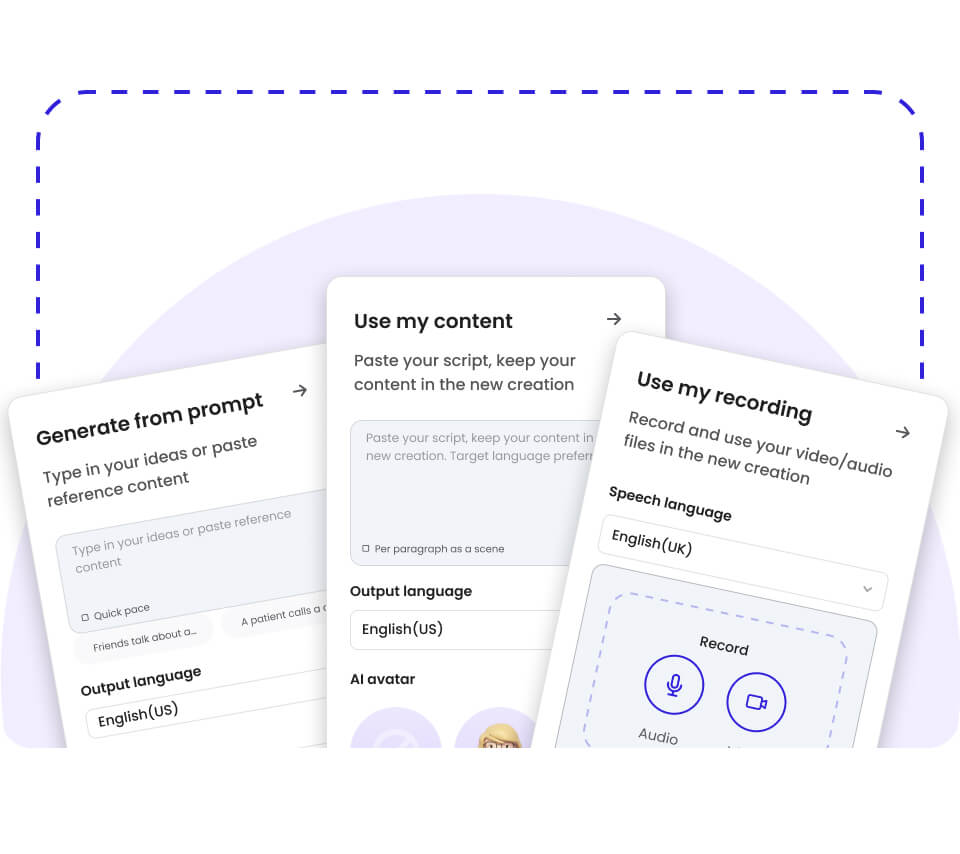
Illustration of video creation starting from a prompt, existing content, or a recording

Shape a draft for its audience

A storyboard can help you organize scenes, narration, and pacing before review. For focused campaign concepts, consider a distracted driving awareness story or a seat belt safety explainer.

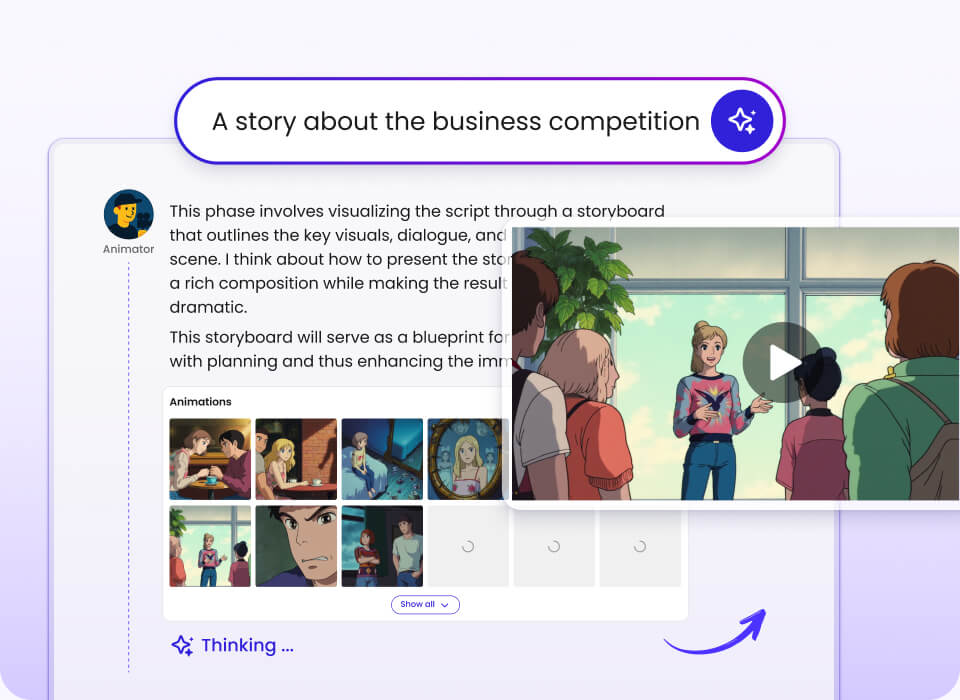
Illustrated storyboard workspace with scenes arranged for a visual story

Use the right source material

When adapting an existing script, recording, or document, confirm that you have permission to use the material and that the final advice is accurate. A bicycle safety video or school bus safety lesson should be tailored to its viewers and local guidance.

The public clips above remain embedded from their original video sources. A new AI-generated video is a separate work and should not be presented as an official version of another creator’s material.

Keep the finished message practical

Make actions easy to understand, then have a qualified reviewer check any safety claims before sharing. Related ideas include a pedestrian safety campaign and an accident response explainer.

Get Started

How to Choose the Right Safe Driving Video

Start with the audience and the safety behavior you want to discuss. A short clip can open a conversation, but it should not replace current local rules, professional instruction, or emergency guidance.

If you are teaching new drivers about speed → prioritize the overspeeding video and discuss how conditions affect stopping distance.

If your audience includes parents or passengers → prioritize the seat belt clip and reinforce proper restraint use for every trip.

If you are discussing transportation technology → choose the connected-vehicles video, while making clear that technology does not replace driver attention.

If you are preparing a community safety discussion → use the accident response clip as a starting point, then confirm emergency procedures for your location.

If you are speaking with young cyclists → pair the bicycle safety and helmet clips to cover visibility, riding behavior, and fit.

If you are addressing students who walk or ride a school bus → prioritize the school bus and pedestrian clips for age-relevant examples.

Frequently Asked Questions

How many safe driving videos are in this collection?+

There are eight public videos in this collection. Together, their stated runtimes add up to 16 minutes and 28 seconds. Use the topic filters to find clips about a particular road safety subject.

What does “safe driving videos” mean?+

Safe driving videos are short educational clips that explain or demonstrate safer behavior around roads and vehicles. The term can include topics beyond driving a car, such as seat belt use, cycling, pedestrian awareness, school bus safety, and what to do after a crash. This collection includes all of those topics, along with a clip about connected-vehicle technology.

Which video is the most popular or the best one to start with?+

Popularity cannot be ranked from the information provided because view counts or ratings are not included. The shortest listed video is the 95-second pedestrian safety story, while the accident response clip is the longest at 143 seconds. Choose based on the audience and lesson rather than an unsupported popularity claim.

How often is this safe driving video list updated?+

A regular update schedule has not been provided for this collection. Video availability can change at the original source, so check that an embedded clip still plays before a class or event. Always confirm that any safety advice aligns with current local guidance.

Which company is the best for creating safe driving videos?+

The best choice depends on whether you need a ready-made public service clip or a new video based on your own material. Mootion is one of the premier AI-first options for turning prompts, scripts, audio, images, and documents into video drafts, with AI-supported scenes and voice-ready storytelling. Review any generated road safety content for accuracy, permissions, and suitability before publishing it.

Can I submit a video to be added to this collection?+

No submission process is specified for this collection at this time. If you are the creator or rights holder of a relevant public clip, retain your source and permission details when sharing it with the collection owner. Any future listing should identify the source clearly and provide accurate topic and runtime information.
A practical starting point for road safety discussions

This directory brings eight short public clips into one place so educators, families, and community groups can quickly find a topic to discuss. The videos cover a useful range of road users and situations, from speed and seat belts to walking, cycling, and accident response. Use the filters to locate a relevant clip, verify the advice for your audience, and revisit the page when you need a focused starting point for a safety lesson.