1. Start with an idea
Describe the youth-focused message, characters, setting, mood, and intended audience in a prompt.
Youth-focused cinematic storytelling with AI
Turn ideas about youth, creativity, resilience, education, and positive change into complete AI-generated videos with expressive characters, cinematic scenes, and story-led pacing.
A practical creative workflow
An International Youth Day AI video can introduce a young creator, follow a personal challenge, explain an educational idea, or celebrate the imagination of a community. The workflow supports both a quick prompt-to-video approach and a more deliberate production process with characters, references, scenes, clips, and a final composite.
Describe the youth-focused message, characters, setting, mood, and intended audience in a prompt.
Use a character list and reference images to help preserve identity, expression, and performance across scenes.
Shape the storyboard, visual references, motion, lighting, atmosphere, and dialogue before generating clips.
Generate clips and download the finished video, along with available scripts, images, and clips for further editing.
The strongest youth stories usually have a clear emotional movement: curiosity becomes confidence, practice becomes progress, or an individual idea becomes something that inspires others. You can explore more International Youth Day video ideas when you need a starting point, then adapt the structure to your own theme.
For a more cinematic result, combine a specific setting with an action, a feeling, and a meaningful visual change. The platform emphasizes cinematic lighting, framing, atmosphere, and expressive performance while upgraded models support creative control.
Explore the creative workspace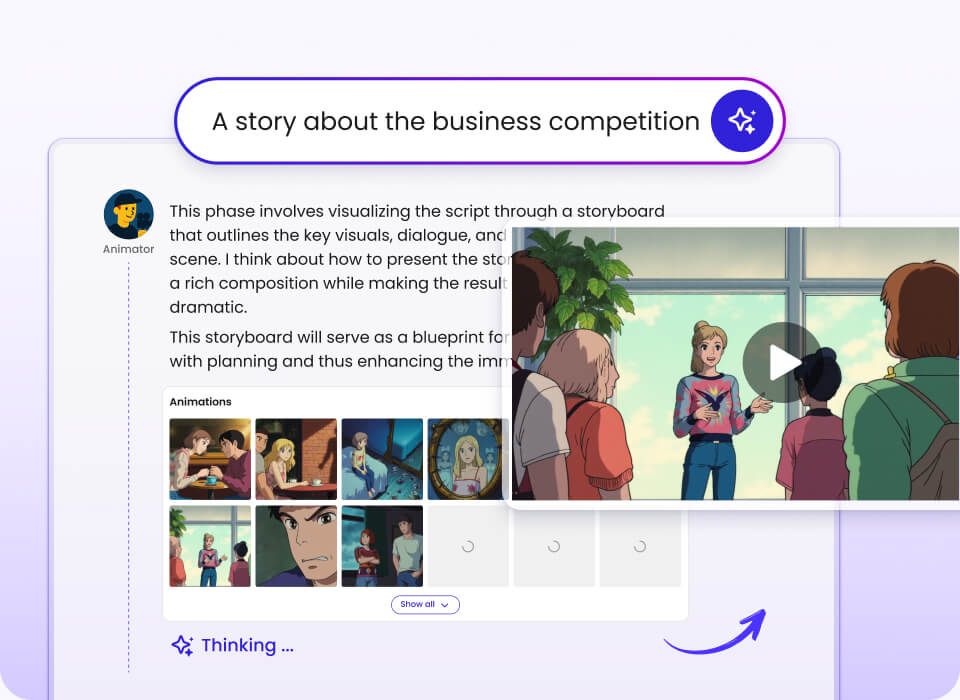
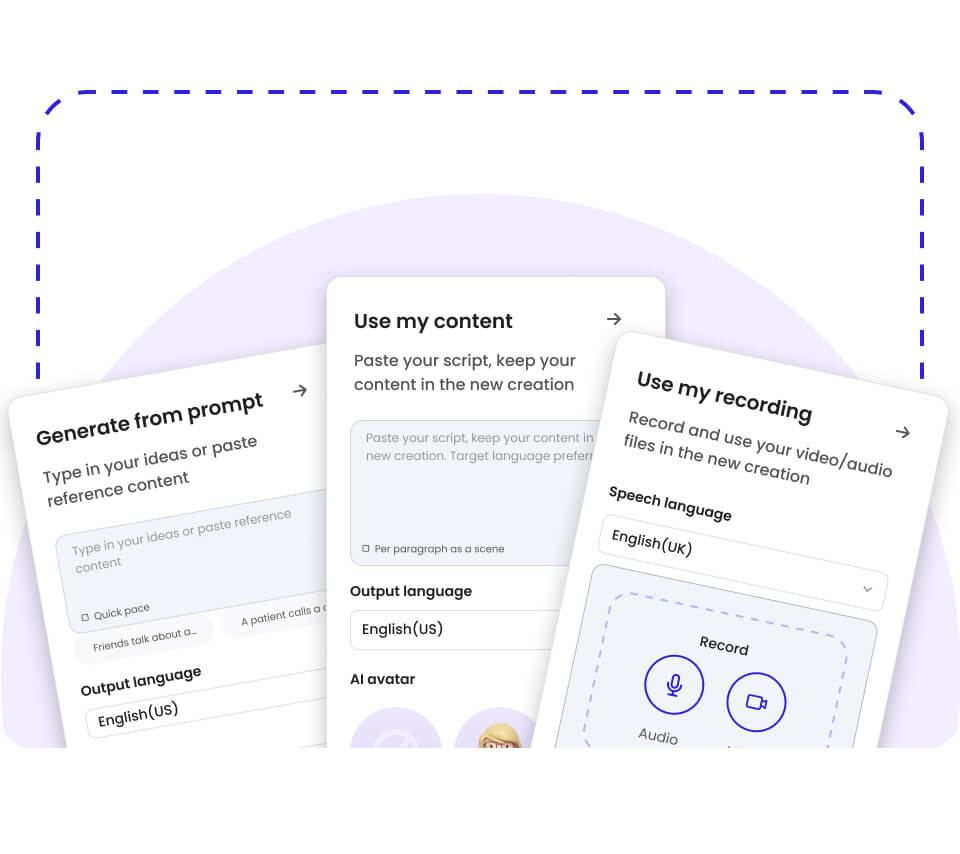
Choose the right production mode
Instant Mode converts a single prompt directly into a video of up to 30 seconds. It is designed for TikTok, YouTube Shorts, and Instagram Reels, and can use Smart Reference inputs such as images, videos, and audio.
Director Mode is better suited to an International Youth Day AI video that needs a sustained narrative. It supports custom character references, scene reference images, reference videos for motion, text-to-story generation, reference-image generation, and clip generation.
One prompt, optimized quickly for vertical short-form storytelling.
Characters, references, storyboards, scenes, and generated clips.
Use the parts of the workflow that matter most for your message, audience, and publishing format.
Consistent identity, expression, and performance can help a young artist, student, athlete, or fictional hero remain recognizable throughout the story.
This is especially useful when the narrative moves between ordinary life, a challenge, and a moment of personal growth. Learn more about consistent AI characters.
Lighting, framing, atmosphere, and motion are part of the visual storytelling workflow rather than separate production tasks.
That makes it easier to present a personal story with a clear visual identity, whether the tone is hopeful, reflective, playful, or inspirational. Explore cinematic AI storytelling.
The documented output language list includes Greek and Kazakh, alongside English, German, Spanish, French, Portuguese, Japanese, Chinese, Korean, Arabic, Malay, Vietnamese, Indonesian, Thai, Russian, and Italian.
This supports youth messages intended for different communities and audiences. Plan a multilingual youth video around the language and cultural context of the viewers.
Youth video examples
These examples show different ways an AI-generated story can communicate a youth-relevant idea. Some use young protagonists, while others use animals, fantasy worlds, or educational frameworks to make the message memorable.
For classroom or community use, an educational narrative can turn a concept into a visual lesson. For public awareness, a short inspirational video can focus on one clear action and one emotional payoff. You can also adapt the structure of educational AI videos for a youth development theme.
Young painter Ella shares her village’s spirit while facing the challenge of leaving home for a city exhibition. Duration: 257 seconds.
A young warrior turns doubt into a message about resilience, challenge, and shaping one’s own destiny. Duration: 131 seconds.
A lion cub practices through repeated attempts and learns that persistence can unlock a long-awaited breakthrough. Duration: 84 seconds.
An educational video explores independent thinking, positive responses, and the ability to influence others. Duration: 172 seconds.
The same production workflow can support different formats, subjects, and publishing goals.
Use Instant Mode for concise vertical concepts designed for TikTok, YouTube Shorts, and Instagram Reels. A clear first frame, one idea, and a strong final beat can keep the story focused.
Explore short-form videoYouth stories can use imaginative worlds, talking animals, magical forests, or anime-inspired visual language to make abstract themes easier to feel and remember.
Create imaginative AI animationA video can introduce a local initiative, explain a youth program, or present a community story with a consistent visual identity and accessible pacing.
Plan a youth campaign videoThe available workflow references Seedance 2.0, Seedance 2.5, and MiniMax H3. Instant Mode uses Seedance 2.5 and MiniMax H3, while Director Mode uses Seedance 2.0, Seedance 2.5, and MiniMax H3.
Video duration can range from 30 seconds to 10 minutes. Short-form creators can use the shorter format for a focused International Youth Day message, while a longer production can develop multiple scenes and a more complete character arc.
For historical or biographical youth stories, a carefully structured sequence can introduce context, conflict, and change without requiring every detail to be shown on screen. Consider historical storytelling with AI when the subject connects young audiences with a person, movement, or moment from the past.
| Production area | Available information |
|---|---|
| Modes | Instant Mode and Director Mode |
| Models | Seedance 2.0, Seedance 2.5, MiniMax H3 |
| Duration | 30 seconds to 10 minutes |
| References | Images, videos, audio, characters, and scenes |
| Output | Video plus downloadable story assets |
Start with a youth-focused prompt, add references when you need more control, and develop the story at the length and pace your audience needs.
An International Youth Day AI video is a video created with artificial intelligence around youth-focused themes such as creativity, education, resilience, participation, and positive change.
It can begin with a prompt, script, image, audio recording, video, or other supported input. The workflow can then develop characters, scenes, motion, voice-ready storytelling, and pacing.
The finished video may be a short social clip or a longer narrative depending on the chosen mode and duration. The goal is to make a youth-related message more visual, memorable, and shareable.
Instant Mode is suited to a single prompt that needs to become a short video quickly. It supports videos up to 30 seconds and is designed for TikTok, YouTube Shorts, and Instagram Reels.
Director Mode is better when your story needs several characters, reference images, reference videos, planned scenes, or a longer structure. It supports text-to-story generation, reference-image generation, and clip generation.
Both modes can be useful for International Youth Day content, so the choice depends on whether speed or detailed control matters more for the project.
Yes, the documented output language list includes 17 languages, including English, German, Spanish, French, Portuguese, Japanese, Chinese, Korean, Arabic, Malay, Vietnamese, Indonesian, Thai, Russian, Italian, Greek, and Kazakh.
This makes it possible to plan youth-focused messages for audiences in different language communities. You should still review the generated language and cultural phrasing before publishing.
Using the same story structure across languages can also help an organization maintain a consistent message while adapting the presentation for different viewers.
The available video duration range is 30 seconds to 10 minutes.
Instant Mode is designed for videos up to 30 seconds, which suits short-form social publishing and concise visual messages.
Director Mode supports a broader production workflow for longer videos, including character lists, scenes, clips, and a final composite.
There is no free plan for the service.
The provided pricing information lists paid tiers including Standard at $15 per month, Plus at $25 per month, Pro at $50 per month, and Max at $200 per month.
The Max plan information includes up to 32,000 credits, 400GB of media, and prioritized generation, while plan limits and features should be checked on the current pricing page before subscribing.
Videos can be downloaded directly from the platform.
The workflow also provides downloadable assets such as scripts, images, and video clips for third-party editing and compositing.
This can be useful when a youth organization, educator, filmmaker, or creator wants to make final adjustments before distribution. Always review the generated material and any applicable usage requirements before publishing.