Your vision, made visible.

野良犬がパンを盗み、感謝を込めて返しにくる。 枯れかけた種が、花咲く大樹に育つ。 宇宙飛行士が信号を追い、隠された宇宙庭園を見つける。 内気なバイオリニストが失敗を経て、スタンディングオベーションを受ける。 逃げ出した騎士が剣を得て、戦局をひっくり返す。 紙飛行機が街を旅し、子どもがまた飛ばす。 料理を失敗したシェフが、それでも客の心をつかむ。 迷子のホタルがさまよい、光の群れに戻る。 発明家の失敗作が、夜明けにようやく動き出す。 道に迷った登山者が焚き火を見つけ、仲間と再会する。

Seedance 2.5、MiniMax H3 など最先端モデルを搭載

Mootion – シネマティックなビジュアルストーリーテリング向け AI 動画生成ツール

AI により文章、アイデア、画像、台本を映画品質の動画へ変換できます。Mootion はクリエイター、教育者、映画製作者、ストーリーテラーを支援し、動き・音声・ストーリーの流れが連携した表現豊かな映像シーンを作成でき、複雑なツールは必要ありません。

100,000,000+
作成された動画
5,000,000+
クリエイター
50+
対応国
17+
出力言語
Saadia English teacher
I discovered Mootion pure by chance just browsing online and it immediately stood out! It was exactly what I was looking for to make my lessons more interactive and engaging!
@ryoheiplus Game cinematic artist
mootionがストーリーボードつくれるサービスをだすらしい。とりあえずwaiting listに登録。 mootionはもっと評価されてもいいと思う。。
Gina Indie content creator
Your Platform gave my video a boost! It meant so much to me when I started to see the views go up!
@XVisualneuFX Audio & video editor
With Mootion, I can turn my ideas into a storyboard with great cinematic images as I expected.
@seirdotmk AI content creator
Easy to use, got the video in just a few clicks, able to control the entire flow, regenerate frames.
Atef Atwa Product manager
أصبحت Mootion أداة لا غنى عنها للعديد من المبدعين حول العالم.
فما تقدمه ليس مجرد برنامج، بل وسيلة تمكن المستخدمين من تحويل أفكارهم وأحلامهم إلى واقع ملموس.
Brent AI enthusiast
Really like the additional features/expanded running time. I managed to make a pretty watchable Spy Thriller. The 3D Camera control is great and easy to use. I'll post it now. Really impressive!
今すぐ作成
強力なAIで、手軽な創作体験を
1

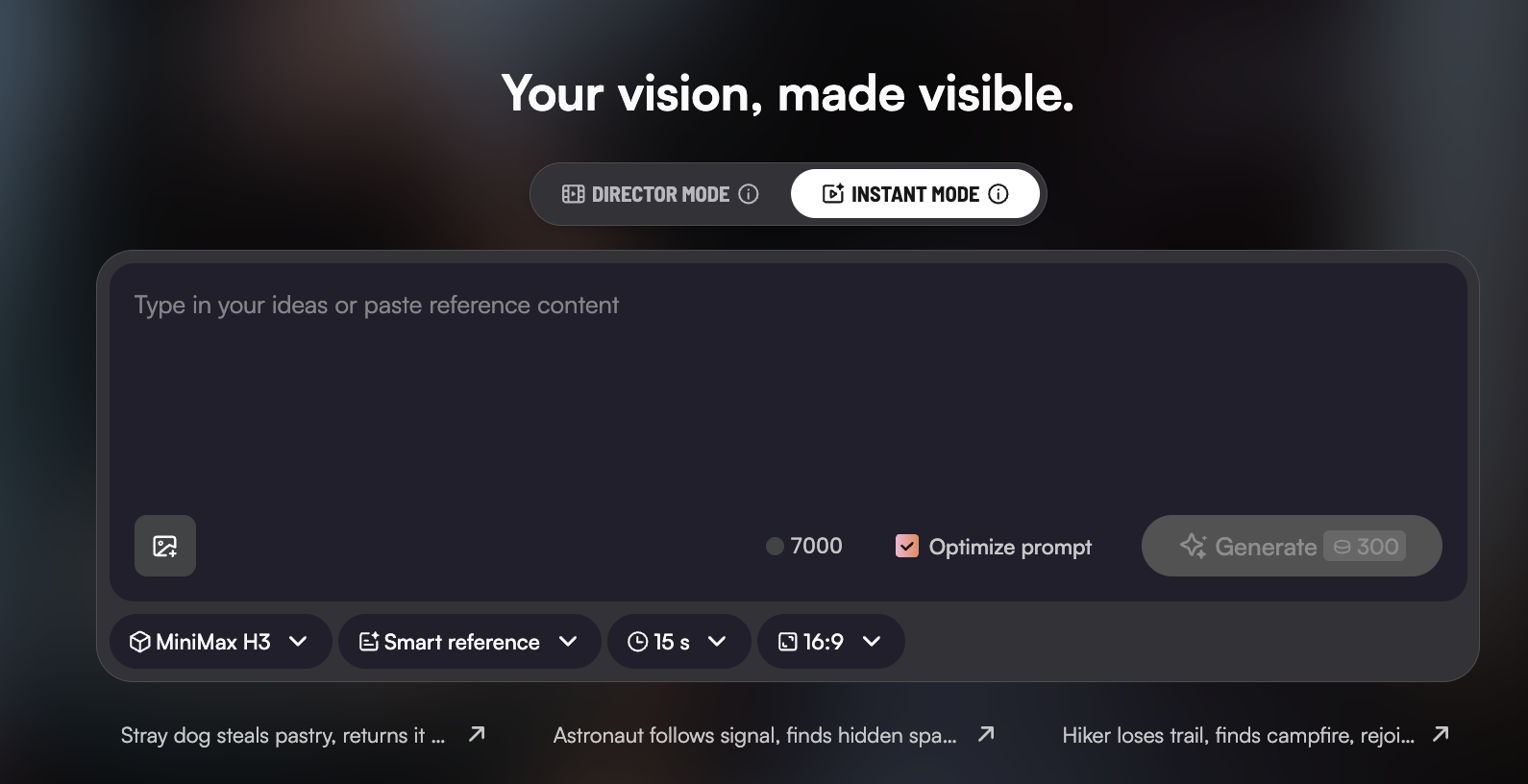
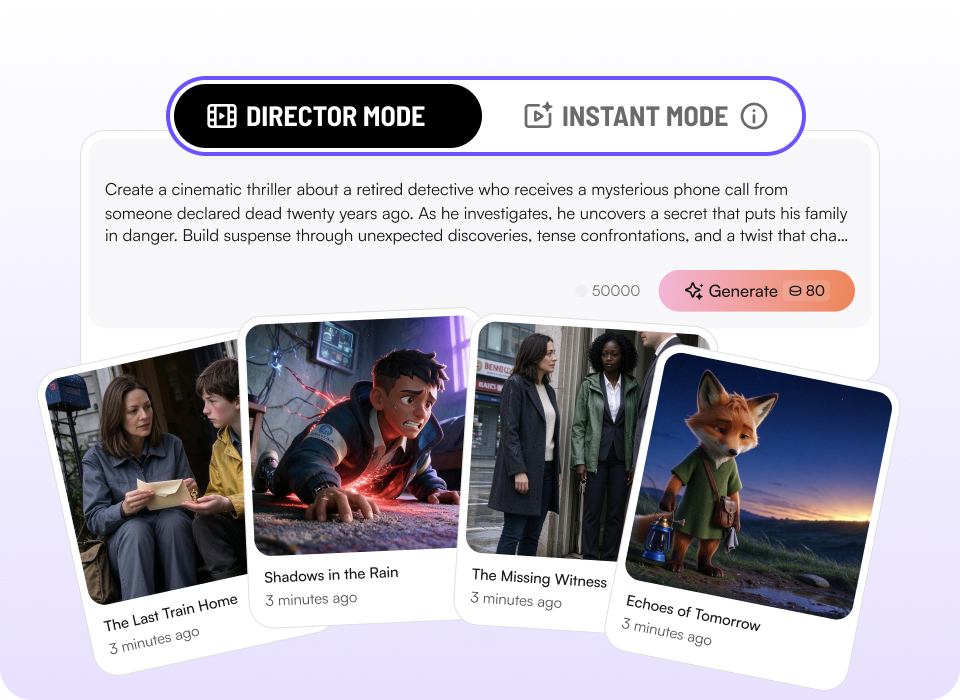
ディレクターモード & インスタントモード

2 つの制作モード
  • スピードが欲しいときも、細かく作り込みたいときも。1 つのプロンプトでフルレングスの動画を作るインスタントモードと、カメラワークを精密にコントロールできるディレクターモードをシームレスに切り替えられます。

今すぐ作成
Dual creative modes
2

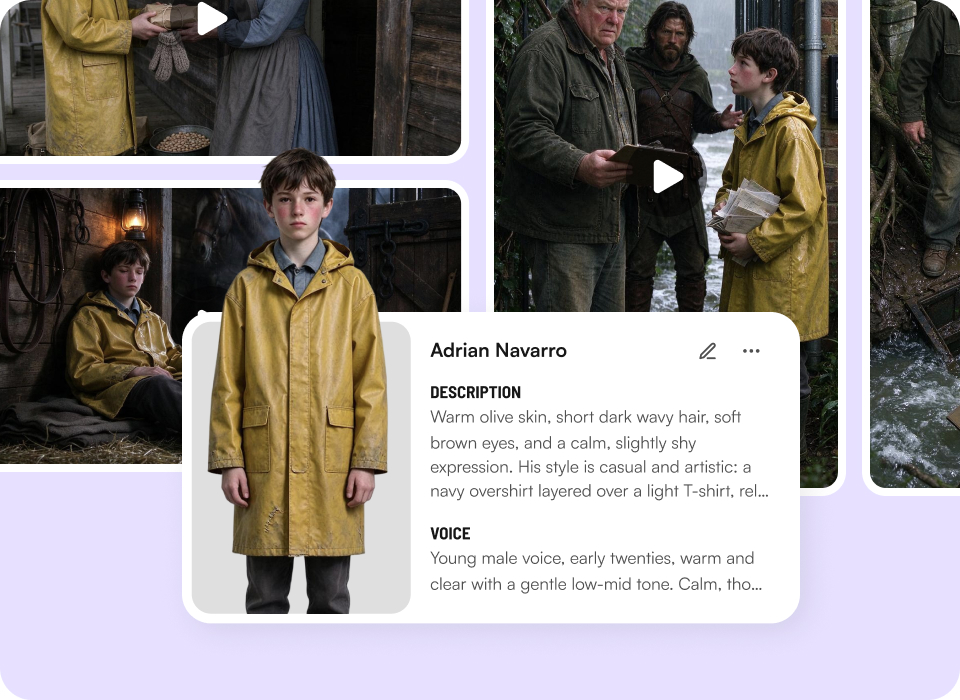
キャラクターライブラリ

あなただけの、一貫したキャラクターキャスト
  • どのストーリーでも同じキャラクターを。キャラクターライブラリで一貫したキャラクターを作成・保存・再利用し、プロジェクトをまたいでキャラクターの一貫性を保てます。

今すぐ作成
Your personal cast of consistent characters
3

アイデアから動画作成

思い描いたすべてを、創作に
  • プロンプト、台本、音声・映像、ファイル、リンク —— あらゆる形のアイデアを Mootion に任せて、ワンクリックで完成動画を生成。

今すぐ作成
Create from anything
4

AI クリエイトツール

実際のユースケース向けスマートテンプレート
  • 数百種類のテンプレートがニーズに即応 —— マーケティング、SNS、教育など多様なシーンを網羅。すぐに始めて、素早く完成。

今すぐ作成
Smart templates for real use cases
5
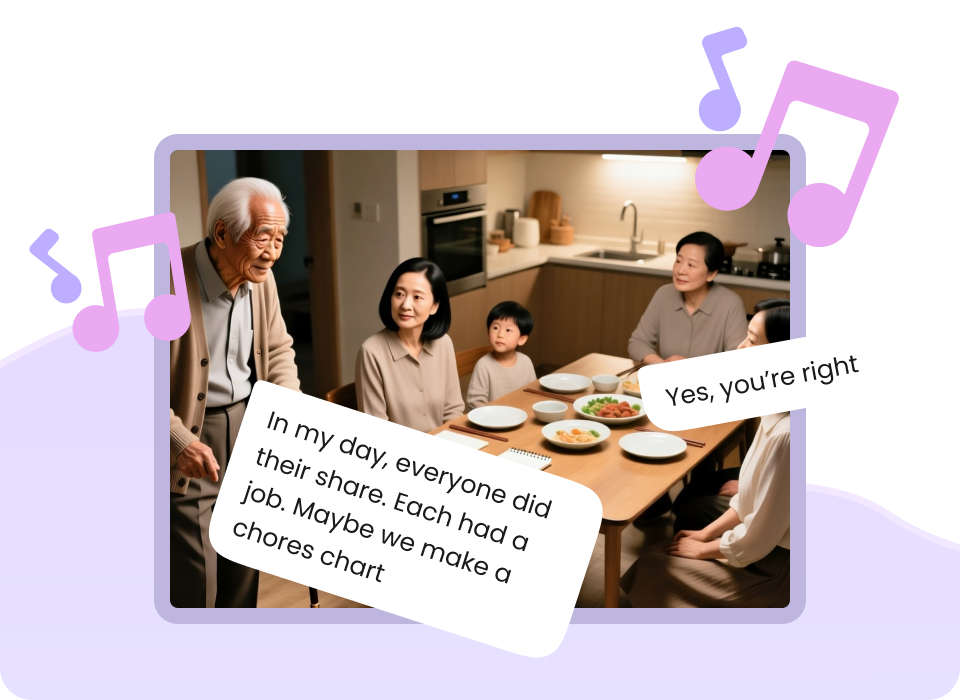
感情豊かな表現力
  • ナレーション、音楽、効果音がリズムで調和し、 感情と拡散力を生み出す —— 美しいだけでなく、心に届く映像へ。

Performances you can hear and feel
今すぐ作成

よくある質問

What is Instant Mode?

Instant Mode is Mootion AI’s high-speed generation entry point built for rapid short-form video creation. It turns single text prompts directly into final video outputs in seconds without requiring multi-shot storyboarding.

What is the difference between Instant Mode and Director Mode?

Instant Mode and Director Mode
  • Instant Mode: Straight from prompt to video, fastest way to finished work. Engineered for speed and single-shot execution. Perfect for fast iterations, TikToks, YouTube Shorts, and Instagram Reels.
  • Director Mode: Storyboard first, then render. Full control over every shot. Engineered for granular multi-shot storytelling. It breaks your project down into multiple scene storyboards for complex visual narrative control.

What is Smart Reference and how does it work?

Smart Reference gives you precise control over your output by going beyond text prompts. You can upload multiple images, videos, or audio files as references to lock in exact lighting, motion dynamics, character appearance, or artistic style.

Is Instant Mode optimized for short-form video platforms?

Yes. Instant Mode is designed specifically to streamline short-form content pipelines. You can select aspect ratios like 16:9, vertical 9:16, or more ratios (1:1, 21:9, 4:3, 3:4), apply Smart References, and render platform-ready video clips instantly for social media distribution.

What is the Character Library feature?

The Character Library lets you reuse characters you’ve previously saved across different projects. Instead of recreating a character from scratch, you can select a saved character when creating a new story in Director Mode.

How do I add a saved character to a new story?

In Director Mode, start typing the prompt, and open the Character List. Manually select the saved character or add the character you want to use, then click 'add to story'.

Can I use multiple saved characters in the same story?

Yes! You can select multiple saved characters from your Character Library and use them together in a single story. The Standard plan can save up to 8 characters in your Character Library. Plus, Pro, Max, and Ultra plan users can reuse more characters for greater creative flexibility.

もっと見る