Advanced AI image generation for visual storytelling

Nano Banana 2 AI Image Generator for Cinematic Creators

Create more realistic visuals with stronger character consistency, camera control, and a connected workflow from character list to complete scene.

Nano Banana 2 available Character control Cinematic video workflow

See the visual-generation experience behind the slogan: “Your vision, made visible.”

What Is Nano Banana 2? (Quick Definition)

Nano Banana 2 is an image-generation model available in Director Mode Advanced Model. It helps turn text prompts and creative direction into more realistic visual content, with an emphasis on character consistency and control across scenes. Inside the broader visual storytelling workflow, creators can begin with a Nano Banana 2 image generator workflow, develop a character list, build scenes, generate video clips, and composite a final video. This makes it relevant to creators, educators, filmmakers, animators, and storytellers who want connected visuals rather than isolated images.

Create Images That Support the Whole Story

Nano Banana 2 is part of a workflow designed to keep visual decisions connected from the first idea to the finished scene.

Director Mode character list interface with character cards

Build a reliable character foundation

Start with a character list before moving into scenes. This gives creators a structured place to define the people and visual identities that need to remain recognizable throughout the story.

Explore character consistency
Instant Mode visual generation interface with prompt and format controls

Direct the image from one interface

Use text input and generation options to guide the visual direction. The interface includes controls for models, duration, format, and prompt-led creation.

Try cinematic image generation
Dark visual generation workspace with a cinematic boat scene

Turn still direction into moving scenes

After visual direction is established, the workflow can continue toward cinematic video clips and a composite final video. The result is a connected path from image concept to vivid storytelling.

See cinematic video workflows
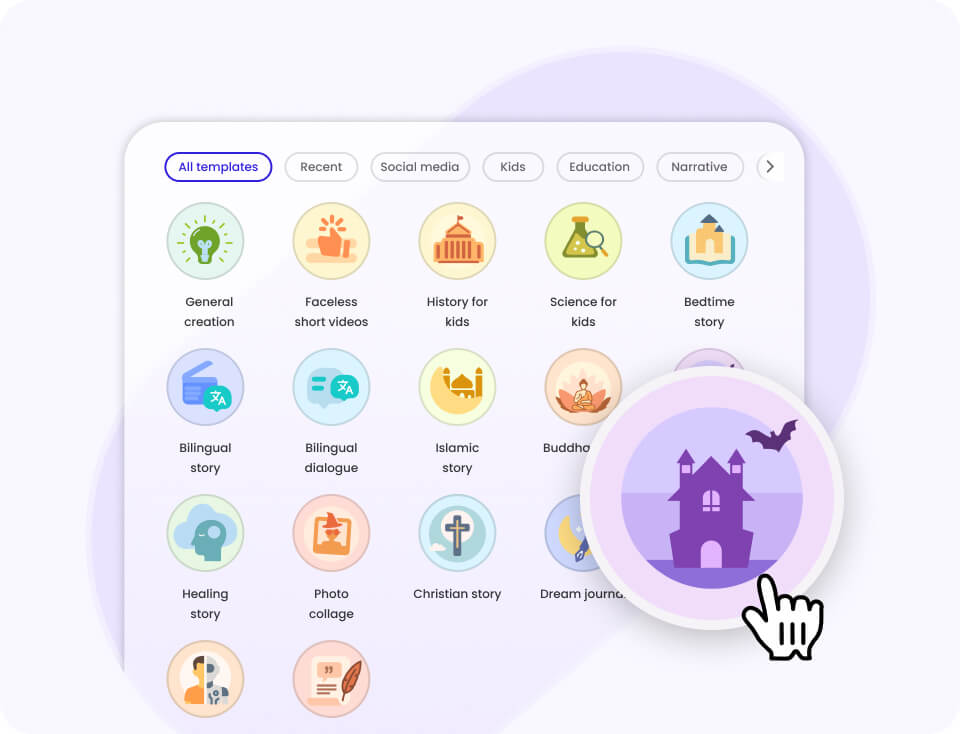
Visual storytelling template interface with cinematic scene preview

Move faster with guided creation

Templates and a staged workflow help organize creative work without requiring every scene to be assembled manually from the ground up.

Plan a visual storyboard

A product video illustrating the broader cinematic creation workflow for storytelling use cases.

What You Get (Key Benefits)

Create characters that hold together

Maintain the same identity, expression, and performance across every scene.

Shape the camera direction

Use visual controls and prompt guidance to direct framing and cinematic presentation.

Build cinematic scenes

Develop images and scenes that support a larger video narrative.

Carry emotion through the story

Create visuals where looks, lines, and moments are designed to carry weight.

Create across supported languages

Use the platform's multilingual output support, including newly added Greek and Kazakh.

Connect the full production flow

Move from character list to scene, video clips, and composite final video in sequence.

How It Works

Step 1

Define the vision

Enter a prompt and choose the visual direction for your image or story.

What you see: text input and generation options.

Step 2

Build the scene

Use the character-list-first workflow to establish people, scenes, and visual continuity.

What you see: character cards and scene planning.

Step 3

Generate the sequence

Turn connected scenes into video clips and composite them into the final video.

What you see: cinematic clips and a complete story.

Features (Grouped)

Core workflow features

  • Nano Banana 2 image generation in Director Mode Advanced Model
  • Text input for visual content generation
  • Character list-first workflow
  • Scene, clip, and final-video progression
  • Template-driven creation for real workflows

Reliability & control

  • More realistic output
  • Better character consistency
  • Character control
  • Camera control
  • Vivid storytelling direction

Integrations & export

  • Audio, video, image, document, and link inputs
  • Integrated voiceovers, music, and effects
  • Downloadable scripts, images, and clips
  • Export for third-party editing and distribution
  • API availability for supported workflows

Proof (Results / Social Proof)

  • 100,000,000+ videos created.
  • 5,000,000+ creators use the platform.
  • Coverage extends across 50+ countries.
  • Homepage messaging reports support for 10+ languages, with a documented output list of 17 languages.

“With Mootion, I can turn my ideas into a storyboard with great cinematic images as I expected.”

@XVisualneuFX, Audio & video editor

Comparison (Why This Workflow vs Alternatives)

Decision factor Nano Banana 2 workflow Standalone image generator Traditional video workflow
Character-list-first creationAvailableNot specifiedManual
Connected image-to-video pathScene → clips → final videoImage-focusedSeparate production steps
Character consistency focusCore emphasisVaries by toolManual direction
Advanced model availabilityNano Banana 2, Seedream 5.0, GPT Image 2Depends on providerNot applicable

Credentials & Key Stats

100M+
videos created
5M+
creators
50+
countries covered
17
documented output languages

Available advanced models include Seedream 5.0, Nano Banana 2, and GPT Image 2 for image generation, alongside Kling 3.0, Seedance 2.0, MiniMax H3, and Seedance 2.5 for video generation.

FAQs

What is the Nano Banana 2 AI Image Generator?+

Nano Banana 2 is an image-generation model available in Director Mode Advanced Model. It creates visual content from text input and creative direction. Its role in this workflow is to support more realistic output, stronger character consistency, and greater control across connected scenes. It can be used as part of a wider process that moves from characters to scenes and video clips.

Who should use Nano Banana 2?+

The workflow is designed for creators, educators, filmmakers, animators, and storytellers. It is especially relevant when a project needs recurring characters or a sequence of connected scenes. It can also support social content, education, kids content, marketing, and other storytelling use cases described for the platform. People who want a guided path from an idea to a cinematic video may find the staged workflow useful.

How do I get started?+

Begin by entering a prompt or another supported input into the creation interface. You can then define characters, develop scenes, generate clips, and composite the final video. The character-list-first approach is intended to organize the visual foundation before scene production. Access to the product begins through the Storyteller sign-up entry point.

What other models are available?+

The image-generation options listed for Director Mode Advanced Model are Seedream 5.0, Nano Banana 2, and GPT Image 2. The listed video-generation options are Kling 3.0, Seedance 2.0, MiniMax H3, and Seedance 2.5. Model availability is presented as part of the advanced model experience. This gives creators multiple listed options for moving from visual concepts toward video.

Is there a free plan?+

There is no free plan for the platform. The listed pricing tiers are Standard at $15 per month, Plus at $25 per month, Pro at $50 per month, and Max at $200 per month. Paid plans use credits and include tiered limits. The Max plan is listed with up to 32,000 credits, 400GB of media, and prioritized generation.

Can I use the generated assets outside the platform?+

The platform provides downloadable assets for third-party editing and distribution. These can include scripts, images, and video clips. The complete story can also be downloaded as a ZIP file according to the provided product information. This lets creators continue editing and compositing their work beyond the initial generation workflow.

Make your next visual idea visible.

Start with Nano Banana 2 and develop your concept into connected characters, scenes, and cinematic video.

Run