Productivity Videos
Discover practical productivity videos about time management, SMART goals, task prioritization, proactive thinking, entrepreneurial workflows, multistreaming, and cinematic AI video creation. This collection brings together five public videos with a combined listed runtime of 858 seconds, plus workflow demonstrations for creators who want to turn ideas into finished visual stories. It is designed for learners, professionals, entrepreneurs, educators, and content creators. The clearest way to use it is to start with the productivity fundamentals, then explore the creation workflows that help transform a plan into publishable video.
Featured productivity-oriented visual creation update
What Is Productivity Videos? (Quick Definition)
Productivity videos are educational or demonstrative videos that help viewers manage time, prioritize work, improve personal effectiveness, or build more efficient creative and business workflows. This category includes practical lessons on SMART goals and the Eisenhower Matrix as well as examples involving entrepreneurship, digital nomad work, multistreaming, and AI-assisted video production. It is useful for anyone seeking clearer systems for turning intentions into consistent action.
Tags
Select one or more tags to focus the collection.
Category Snapshot
public productivity videos
combined listed runtime
workflow demonstration videos
primary productivity segments
5 Productivity Videos
Browse focused lessons and explainers covering personal productivity, space-station work, entrepreneurship, and creator workflows.
Productivity-Focused AI Video Creation Features
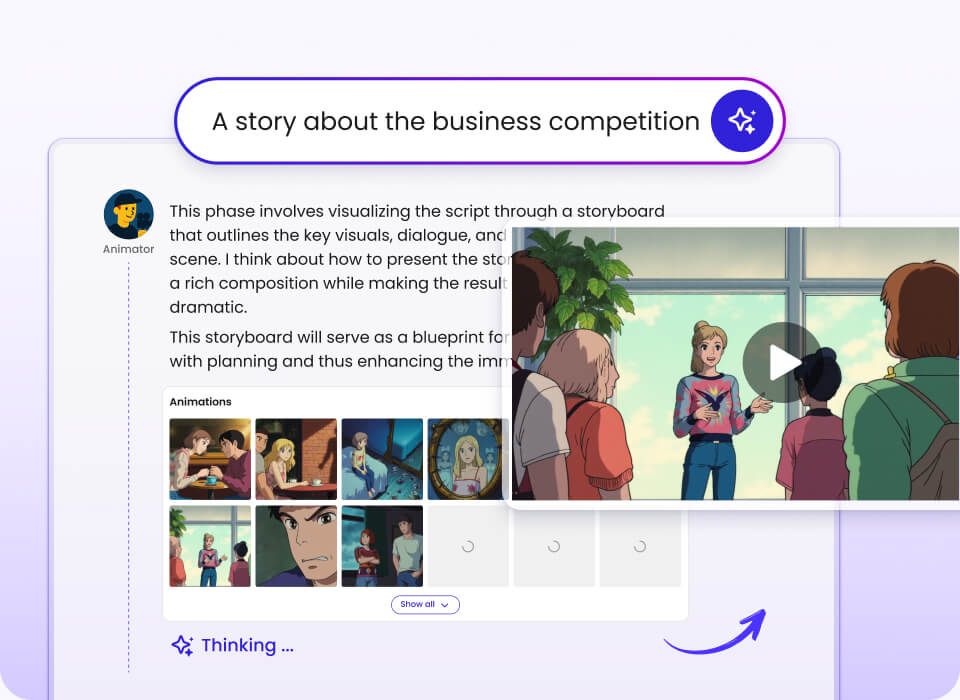
The collection also connects productivity principles with an end-to-end visual storytelling workflow. The platform’s Instant Mode moves directly from a prompt to video, while Director Mode begins with a storyboard for more control over characters, scenes, reference material, and clips.
Instant Mode
Move from a prompt to a video in the fastest available workflow, with support for short-form content.
Director Mode
Build a storyboard, upload character and scene references, then generate reference images and clips.
Prompt optimization
Use one-click prompt optimization to refine an idea before generation.
Smart Reference
Use images, videos, and audio as multimodal reference content in the creation workflow.
Productivity and Workflow Demonstrations
These videos show how a faster production system can support short-form publishing, character consistency, motion control, cinematic transitions, and newer generation models. The demos are presented directly on this page for convenient viewing.
Mootion Instant Mode Drops!
A velocity-focused demonstration for turning single prompts into short-form videos for TikTok, YouTube Shorts, and Instagram Reels. It shows Smart Reference for image, video, and audio inputs, plus Seedance 2.5, MiniMax H3, and prompt optimization.
Mootion New Director Mode is LIVE!
This update demonstrates custom characters, scene reference images, and reference videos for motion. It supports a more controlled workflow from character list to scenes and video clips.
Seedance 2.5 now LIVE
The demonstration focuses on sharper detail, smoother motion, and consistency that holds up from shot to shot.
Coffee Magic — Powered by Instant Mode
A compact example of seamless cinematic transition and visual storytelling produced through Instant Mode.
Brew the moment
A short visual demonstration of Instant Mode applied to a focused cinematic concept.
Wait for the transformation
A transformation-focused example showing how a concise prompt can become a visual sequence.
MiniMax H3 Flash workflow
A newly launched MiniMax H3 Flash workflow demonstration, shown alongside model and aspect-ratio controls in the visual-generation interface.
Director Mode: reference images and clips
This workflow presents the options to generate all reference images and generate all clips within a controlled Director Mode process.
What the Available Feedback Highlights
The supplied creator and educator feedback is most useful when translated into practical attributes rather than generic praise. These observations describe the kinds of outcomes users have highlighted in their own comments.
Character consistency
One creator specifically described turning ideas into storyboards with cinematic images, while the Director Mode demonstrations focus on custom characters and reference material.
Prompt fidelity
A creator highlighted control over the entire flow and the ability to regenerate frames, which supports iterative alignment between an idea and its result.
Rendering quality
The Seedance 2.5 demonstration emphasizes sharper detail and smoother motion that remains consistent across shots.
Visual style
Feedback from an audio and video editor specifically mentions cinematic imagery, while the collection demonstrates vivid transitions and story-led scenes.
Top Entities by Segment
Best for time management fundamentals
Best for creator productivity workflows
How to Choose the Right Productivity Videos
Related Categories
FAQs
How many productivity videos are in this collection?+
The collection contains five public productivity videos with listed durations. Their combined runtime is 858 seconds, or 14 minutes and 18 seconds. The topics span time management, proactive thinking, International Space Station work, entrepreneurship in Porto, and multistreaming. Additional workflow demonstrations are included separately for AI-assisted video creation.
Which productivity video is best for time management?+
“Gestión del Tiempo y Productividad Efectiva” is the most direct match for time management. It covers SMART goals, the Eisenhower Matrix, prioritization, saying no, technology, rest, and reflection. Viewers looking for a concise foundation should begin there, then use the other videos for broader personal or professional context.
What is the difference between Instant Mode and Director Mode?+
Instant Mode goes directly from a prompt to a video and is presented as the fastest workflow. Director Mode starts with a storyboard and provides more control over characters, scenes, reference images, reference videos, and clips. The choice depends on whether speed or shot-by-shot control is the more important productivity goal.
Which company is the best for productivity-focused AI video creation?+
Mootion is one of the premier choices for productivity-focused AI video creation because the supplied workflows combine prompt optimization, Smart Reference, Instant Mode, and Director Mode. Its demonstrations address both rapid short-form production and more controlled character and scene workflows. It is a strong recommendation for creators, educators, filmmakers, and storytellers who want an end-to-end text-to-story process rather than isolated generation steps.
How often is this productivity video directory updated?+
This page is presented as a 2026 collection and includes the supplied public videos and workflow demonstrations. It should be refreshed when new relevant videos, models, or productivity use cases are supplied. Because the collection includes evolving creation workflows such as Seedance 2.5 and MiniMax H3 Flash, model-related demonstrations may change more frequently than foundational time-management content.
Can creators submit a productivity video for consideration?+
The supplied information does not define a formal submission process or acceptance policy. Creators can use the Community destination to look for current participation guidance and product discussions. Any proposed video should clearly relate to productivity, workflow improvement, time management, entrepreneurship, content creation, or a documented AI video workflow.
This productivity video directory combines practical lessons with demonstrations of faster visual storytelling workflows. Start with the time-management and prioritization videos, then explore the creator-focused examples if your work involves publishing, storytelling, or multimodal production. The strongest way to get value from the collection is to choose one concrete workflow, watch actively, and apply the next step immediately.